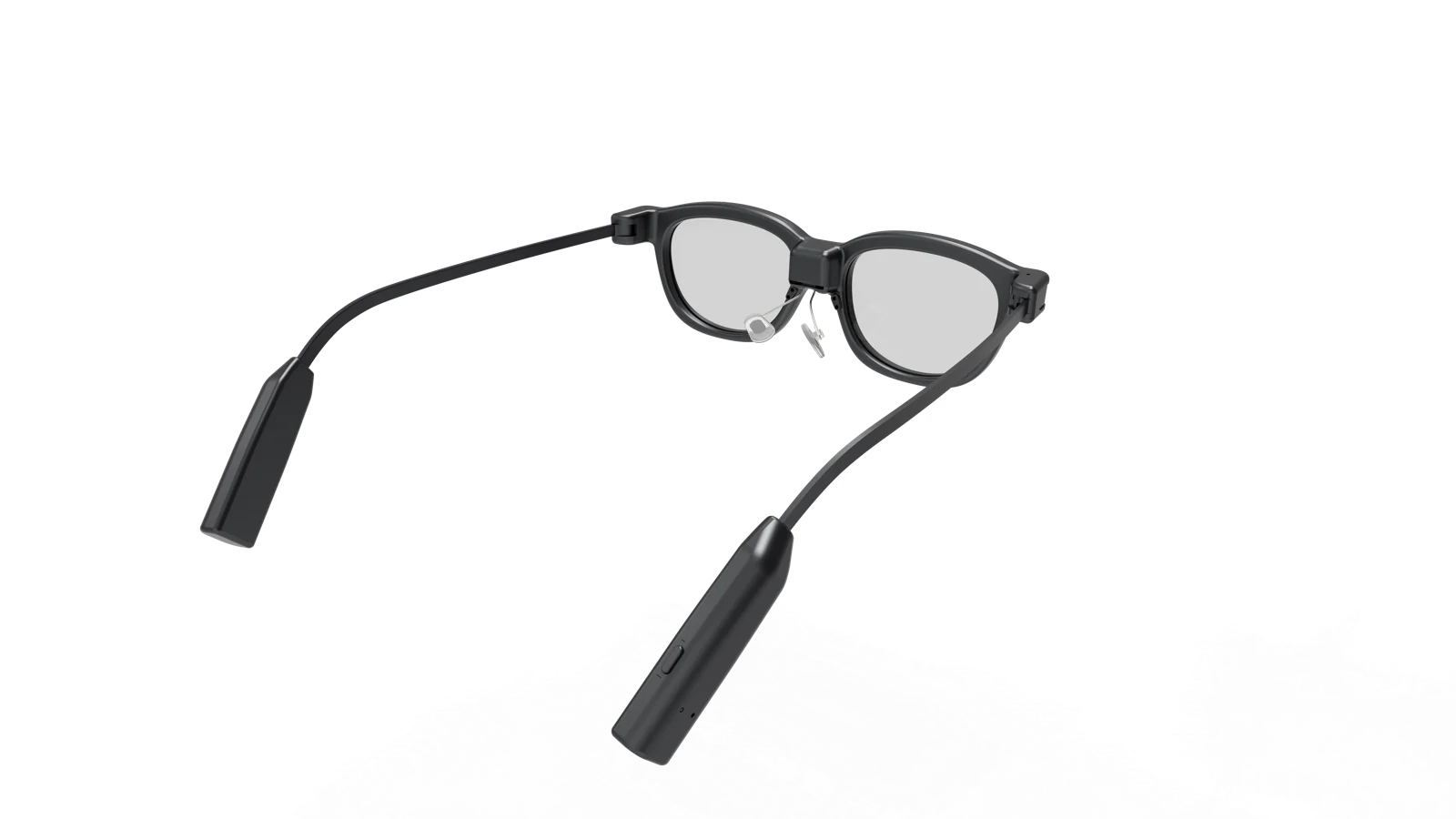
Supplied product references. Frame finish, logo and delivered configuration are confirmed for your project; original sample marks do not imply a brand partnership.
AI + AR
Cue Air AI waveguide display glasses
Model code: GT5
Read prompts, translations and notifications in your line of sight.
Cue Air AI waveguide display glasses put supported app information in view while leaving the surrounding scene visible. The supplied platform uses binocular green monochrome waveguide; one microled projector (1-to-2). It has no built-in camera. Translation, teleprompter, navigation, notifications and AI assistance are app-supported workflows, with software scope and sample availability reviewed for your project.
- Display
- 640 × 480; 26° field of view
- Optics
- Binocular green monochrome waveguide; one MicroLED projector (1-to-2)
- Documented weight
- 35 g
- Camera
- No built-in camera
How the system works
Follow the input, connection, processing and output before choosing the software scope.
Step 1
Voice and app input
Microphones and companion-app commands supply the workflow input. These glasses have no built-in camera.
Step 2
Phone connection
Bluetooth 5.3 and BLE connect the glasses to the supported companion app.
Step 3
AI and app services
Speech recognition, translation and AI responses depend on the selected app, service access and supported languages.
Step 4
Information in view
The MicroLED waveguide displays supported prompts, text and notifications. Check layout, readability and latency on a sample.
Scope to confirm for your product brief
- A monochrome waveguide renders text and simple graphics; it is not a full-colour cinema screen.
- Navigation requires a supported phone/app location workflow. A display alone does not establish spatial tracking or 3D overlays.
- Confirm phone OS, app/SDK access, offline functions, service regions, data handling and battery test conditions before development.
Plan your integration and sample evaluation
Each platform has its own integration requirements. Camera and audio lines use separate SDKs; waveguide platforms require a supported app workflow, while Cinema requires a compatible video source. AI services, languages and offline functions are reviewed for the selected model and software version.
Specifications
| Display | 640 × 480; 26° field of view |
|---|---|
| Optics | Binocular green monochrome waveguide; one MicroLED projector (1-to-2) |
| Documented weight | 35 g |
| Camera | No built-in camera |
| Battery capacity | 200 mAh |
| Connection / OS | Bluetooth 5.3 + BLE; RTOS |
| AI processing | Supported companion app and services; offline scope confirmed per project |
| Battery life | Depends on use and test conditions; confirm on the selected sample |
Based on supplied product documentation; these figures are not independent test results. Confirm the current sample configuration, software version and test conditions before placing an order.
Questions buyers ask about Cue Air
Where we quote per project rather than publish a number, it is because the number would be wrong half the time — not to make you ask.
- Where do the AI functions run on Cue Air?
- Speech recognition, translation and AI responses depend on the selected app, service access and supported languages.
- What should we confirm before developing on Cue Air?
- A monochrome waveguide renders text and simple graphics; it is not a full-colour cinema screen. Navigation requires a supported phone/app location workflow. A display alone does not establish spatial tracking or 3D overlays. Confirm phone OS, app/SDK access, offline functions, service regions, data handling and battery test conditions before development.
- What is the minimum order quantity for Cue Air?
- The standard mass-production MOQ is 1,000 units. Orders below 1,000 require confirmation of supply, price and lead time for the selected configuration. Evaluation samples are handled separately; tell us the model, quantity and destination for a sample quotation.
- What can we customise on Cue Air?
- Branding, frame changes and software integration are reviewed against the selected platform. Define the exact app or video-source workflow, SDK/API access, firmware responsibilities, engineering fees, licences and IP deliverables. Feature support and offline functions must be confirmed for this model and configuration.
- Can you handle CE, FCC and RoHS certification for Cue Air?
- We do not hold certificates for Cue Air today — the only platform with documents already in hand is Scout One (model M-20), which has CE RED, FCC and RoHS. For this platform, certification is arranged as part of the project: testing goes through our lab and the certificate is issued in your entity's name, for the markets you are actually selling into. Tell us the target markets and we will scope it.
- How long does a sample take?
- It depends entirely on what changes. A sample built on this platform as it stands is a different job from one waiting on a new frame tool, so we do not publish a single figure that would be wrong half the time. Send the spec and we will come back with a date we can actually commit to. Samples ship from Shenzhen.
- Can the AI features work with our own model or backend?
- Define the camera/voice input, app connection, service endpoint and audio/display response required by your workflow. We review SDK/API access, device permissions, offline needs and backend integration for the selected configuration before committing to development.
Something not covered? Ask us directly or sherry@futaudio.com.
Build on Cue Air
Private label, custom frame, custom firmware, or a straight OEM order — tell us the target and we will scope it.