F-Audio
Menu

Camera software · reviewed 12 October 2026

A companion app and documented Android / iOS SDK pathways

Review actual supplied app screens alongside reference SDK packages, Demo projects and firmware architecture. Start with the M-20 camera-reference platform, then match the software to your intended hardware and workflow.

First-year app subscription fee waived

For our standard companion-app offer, there is no app subscription fee for the first year.

The quotation should confirm when the free period starts, which services and usage allowances are included, supported regions and renewal pricing. First-year subscription inclusion does not mean lifetime-free service, unlimited AI usage or free custom app/firmware development. Third-party services and commissioned engineering are scoped separately.

Supplied companion-app screens

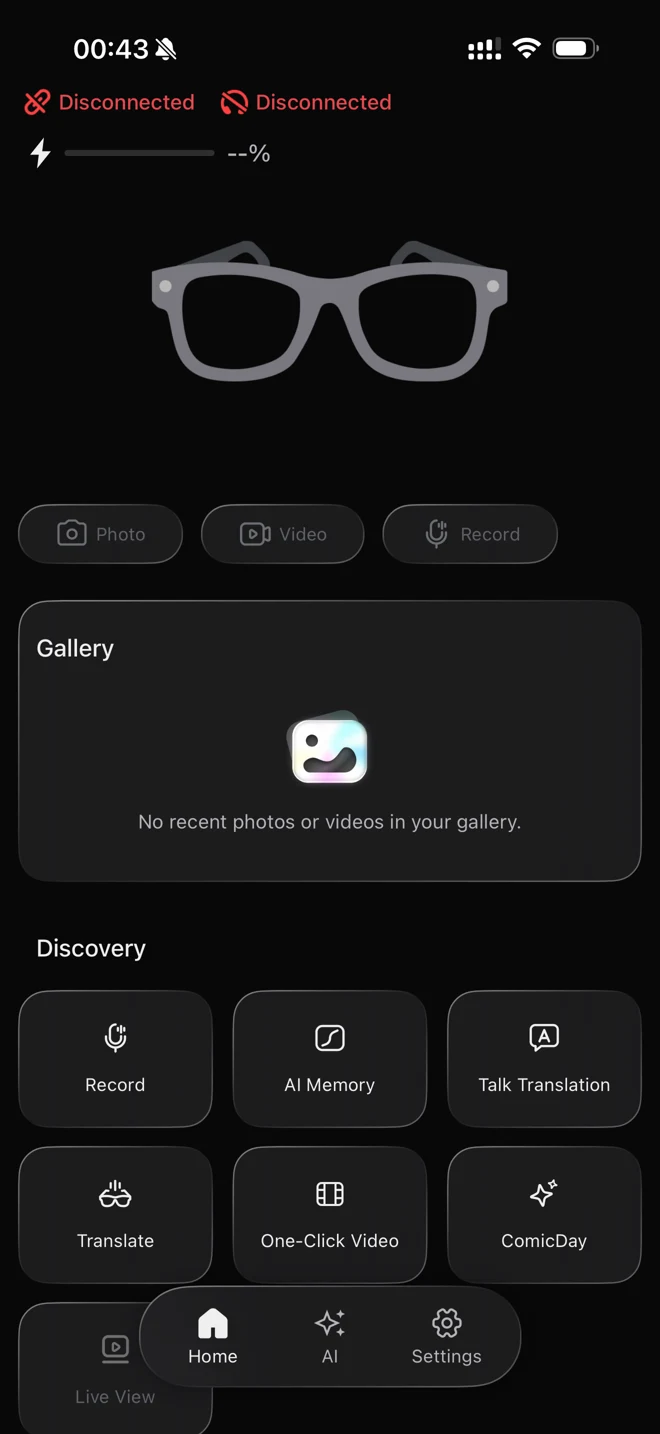
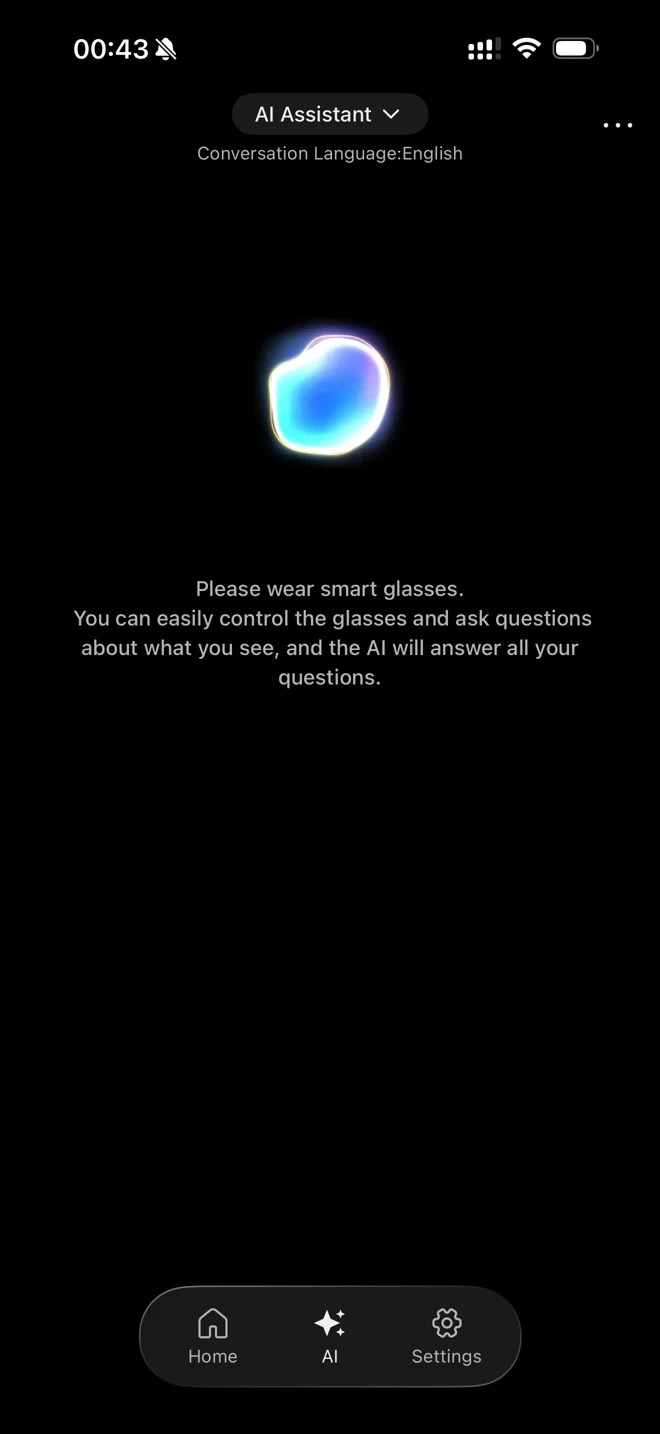
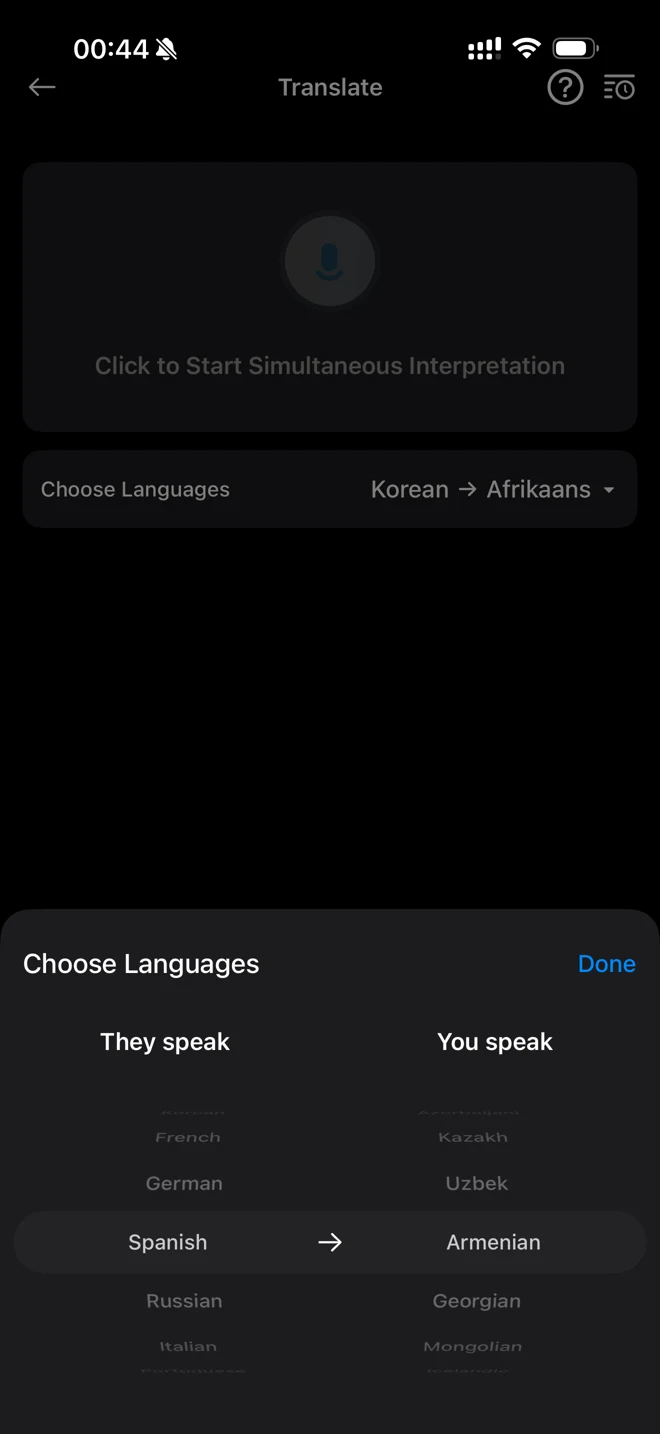
These are screenshots supplied for our camera-glasses software review. They show the interface, not a connected-device acceptance test or a verified feature on every catalog model.

Supplied camera companion app screen: Device and media home

Device and media home

Photo, Video, Record and Gallery controls, plus AI Memory, translation and Live View entries. The shown device is disconnected; disabled controls are not proof of a working stream.

Supplied camera companion app screen: AI assistant interface

AI assistant interface

The supplied screen shows an English conversation setting and a glasses-assisted AI interaction entry. The selected service, region, permissions and firmware determine the working experience.

Supplied camera companion app screen: Translation language selection

Translation language selection

The supplied screen shows translation controls and a language picker. A visible language option does not establish translation quality, PT-BR support or offline operation.

Android and iOS camera SDK evidence

We have reviewed Android 2.0.0 and iOS 1.2.0 reference SDK packages, Demo projects and documentation for the M-20 camera-reference platform. The table identifies actual interface evidence and separates it from hardware acceptance testing.

Camera SDK capability status and evaluation evidence
Function or deliverableCurrent public statusEvaluation evidence
Photo and recorded-video captureDocumented hardware functionScout One supplied capture samples and model specifications; API exposure is a separate check.
Android and iOS reference SDKsPackages and Demo projects reviewedAndroid 2.0.0 reference with AAR/Demo/docs; iOS 1.2.0 reference with framework/Swift Demo/guide. M-20 camera-reference scope; match the actual model and firmware.
App pairing, capture commands and file transferDocumented interfaces in reviewed packagesScanning/connection, photo control, video configuration, media status and Wi-Fi file transfer. Static interface review is separate from successful sample testing.
Branded companion appScoped customization serviceAgree UI/branding, functional development, account setup, app-store responsibilities and maintenance. No blanket ready-to-rebrand app is claimed.
Firmware behaviorScoped development serviceAgree supported changes and acceptance tests. Firmware source-code delivery is not included by default.
Own AI backendProject feasibility reviewDefine permitted image/audio input, service endpoint, response and data handling; validate the full path.
Live-mode controlDocumented SDK integration pathWi-Fi live-mode entry/status/exit are documented; Android guide describes an RTSP URL path and iOS exposes live/STA controls. Validate API/library alignment, transport, audio, runtime and receiving app.
AI and translation audioDocumented session and audio callbacksAudio data, AI-session status and image callbacks exist in the references. This does not establish unrestricted always-on raw microphone or arbitrary sensor access.
OTADocumented host/media update pathsReferences include BLE host updates and Wi-Fi media-processor updates. Match firmware files and device versions; agree signing, recovery and update ownership.
Software maintenanceCommercial scope to agreeVersion support, app-store ownership, source rights and ongoing support are agreed separately. Reference packages are not a blanket warranty of every phone/model.

Reviewed 12 October 2026. Request the applicable reference package and access terms for your project; packages and firmware binaries are not public downloads. Interface presence is documented, but phone compatibility, feature parity and performance require a matched sample. This evidence is not automatically extended to other Scout, Cue or Verse hardware. Camera and audio SDKs are separate.

See companion-app screens and firmware architecture →

How the camera firmware and phone app work together

The supplied architecture describes a two-processor camera platform: a host controller for Bluetooth/audio and a media processor for imaging, storage and Wi-Fi. It is a reference architecture, not the Qualcomm/BES Cue Pro architecture.

  1. Step 1

    Phone app

    The SDK handles commands, connection/status, agreed audio or image callbacks, and the companion-app workflow.

  2. Step 2

    BLE host controller

    The controller runs an RTOS, Bluetooth and audio orchestration, including wake, calls, prompts and mode conflict handling.

  3. Step 3

    Camera / media processor

    The host sends control over an internal link. The media processor manages camera capture, processing, file storage and Wi-Fi services.

  4. Step 4

    Media and AI response

    Larger media files use the Wi-Fi transfer path; supported AI image/audio callbacks use the agreed session path. The phone/service layer supplies AI processing and responses.

Firmware arbitrates calls, AI dialogue, music, recording, transfer and updates. These modes are not assumed to operate simultaneously. Audio callback formats can differ by SDK path and decoding layer; do not assume an unrestricted raw PCM microphone API or continuous simultaneous video/audio/AI operation.

Documented update and live-mode paths

BLE and Wi-Fi firmware updates

Reference packages document a Bluetooth host update path and a Wi-Fi media-processor update path, with status/progress handling. An app Firmware screen is interface evidence; the actual update, package match, recovery and ownership need device-level validation.

Live video integration

The Android reference describes a Wi-Fi live-mode and RTSP URL pathway; the iOS framework provides live-mode and STA-state controls. These are static integration evidence, not a tested frame-rate, latency, internet broadcasting or multi-client guarantee. Match the actual API package, firmware and receiver before committing to a live workflow.

Development handover and acceptance

The reviewed Android reference contains AAR libraries, a Demo project and guides for scanning, connection, camera, media, audio and OTA. Its Demo config uses minimum API 21 and target/compile API 34; that build configuration is not a promise of validated compatibility with every Android phone. The iOS reference contains a framework, Swift Demo and development guide. Minimum phone OS, license/access terms and supported hardware are confirmed with the matched package.

For acceptance, pair the supplied unit, issue a photo command, review recording behavior, transfer an original file, exercise required audio callbacks and validate the update path. Record hardware, firmware, app and SDK versions. AR-related interfaces appearing in a library do not add display hardware to camera-only glasses.

Evaluate the actual software package.

Tell us your model, phone systems, media/AI workflow and essential interfaces. We will review the applicable reference software and scope your development.

Request SDK evaluation